
How to Add Your App Store Link to TikTok (Bio, Captions, Custom Product Pages)
TikTok’s current bio-link rules, how to switch to a Business Account, and how to use App Store Custom Product Pages and Play custom listings.
By the SlideBase team · November 4, 2026 · 9 min read
You can add an App Store link to TikTok in one place for free: the website field in your profile. TikTok’s Help Center says that field is available if you have at least 1,000 followers or a Registered Business Account, and you add it from Profile → Edit profile → Links (checked November 2026). Links typed into captions and comments are not clickable, so the bio is your only free link. For the URL itself, use an App Store Custom Product Page (or a Google Play custom store listing) made for TikTok traffic, so you can count installs and show screenshots that match your posts. SlideBase, a tool that turns store links into TikTok slideshows, has to solve this same link problem for every app it posts for, which is why we wrote the steps down.
Where a link can and cannot go on TikTok
App developers lose a surprising number of installs to a link that does not work. Before setting anything up, here is what is clickable on a TikTok account and what is not.
| Place | Clickable? | What it takes |
|---|---|---|
| Profile website link | Yes | 1,000+ followers, or a Registered Business Account. Not available in every region. |
| Bio text | No | Anyone can type a URL; viewers have to copy it or retype it. |
| Post caption | No | URLs show as plain text. Use the caption to say “link in bio” and the app name. |
| Comments (including your pinned comment) | No | Plain text only. Useful for the app name, not for a URL. |
| Paid ads and Spark Ads | Yes, as a button | TikTok Ads Manager, a budget and an app-promotion campaign. |
So for organic posting there is exactly one link, and it lives on your profile. Every post’s job is to get someone to tap your profile; the profile’s job is to get them to that link.
Step 1: get access to the profile link
TikTok’s Help Center article on adding a website to your profile gives two ways in: reach 1,000 followers, or have a Registered Business Account. It also notes the feature is not available everywhere. For a new app account, the business route is the quick one.
Switch to a Business Account
- Open your profile and tap the menu (three lines, top right).
- Go to Settings and privacy, then Account.
- Tap Switch to Business Account and pick the category closest to your app (for example “Software and apps” or similar).
A plain Business Account is not always enough on its own. TikTok separately offers business registration inside its Business Suite, which asks you to confirm you are a real company; that is what the Help Center calls a Registered Business Account. TikTok moves these menus around, so if you do not see a Links option after switching, look for Business Suite or business registration in settings, or contact support from the Help Center inside the app.
The tradeoff: Business Accounts use the Commercial Music Library, so many trending sounds are not available. For photo slideshows this matters less than for video, because the text on the slides carries the post. We cover this tradeoff in more detail in our guide on how to promote an app on TikTok.
Add the link
- Tap Profile, then Edit profile.
- Tap Add next to Links.
- Paste your URL and save.
Two details from TikTok’s own page worth knowing. First, links open in TikTok’s in-app browser, and TikTok applies safety checks that can show a prompt asking the viewer to open the page in their device browser. Second, TikTok recommends direct links so people reach the destination in as few steps as possible. Both point the same way: link straight to the store page, not to a link-in-bio page with eight buttons.
Step 2: pick the right URL
Your default App Store URL looks like apps.apple.com/app/id1234567890. It works, but it wastes the best tool Apple gives you for social traffic.
App Store: a Custom Product Page for TikTok
Apple’s Custom Product Pages let you publish extra versions of your App Store page with different screenshots, app previews and promotional text, each with its own URL. According to Apple’s developer page (checked November 2026):
- You can publish up to 70 custom product pages in addition to your default one.
- Each one has a unique URL, which adds a product page ID parameter to your normal App Store link.
- You can vary screenshots, promotional text and app previews, per localisation.
- The content goes through App Review, but you can submit it without shipping an app update.
- App Store Connect’s Acquisition tab shows impressions, downloads, conversion rate and retention for each custom page separately.
Apple also says developers see an average conversion lift when they send people to a custom product page instead of the default one. That makes sense for TikTok traffic in particular: someone who just swiped through six slides about a specific problem lands on a page whose first screenshot is about that same problem, not a generic feature overview.
How to set one up: in App Store Connect, open your app, go to the Custom Product Pages section, create a page (blank or copied from the default), replace the first two or three screenshots with ones that echo your slideshow, and submit it for review. Once approved, copy its URL and paste that into your TikTok profile.
Google Play: a custom store listing
Google Play has a similar feature called custom store listings. Play Console’s help page (checked November 2026) says you can create up to 50, target them at audiences such as a country, ads traffic or pre-registration, and give a listing a unique URL parameter, so the link looks like play.google.com/store/apps/details?id=com.yourapp&listing=tiktok. Use a lowercase parameter like tiktok and you can share it in your bio the same way. Note that a country can be assigned to only one custom listing at a time, so check this does not clash with listings you already run.
Both stores, one link
If your app is on both stores, you have three options:
- Pick your bigger platform and say it in the bio (“iPhone app”). Simplest, and you lose the minority.
- A one-page site with two badges. Your own domain, the two store buttons, one screenshot. Costs you one extra tap, but the page is yours and you can add analytics.
- A smart link that sends iPhones to the App Store and Android phones to Google Play. Several link services do this. Test it from TikTok’s in-app browser on both an iPhone and an Android phone before you rely on it.
Avoid a generic link-in-bio page with many links. Every extra choice is a place for the viewer to stop.
Step 3: make the path from slide to store obvious
A working link is half the job. The other half is the last slide of every post, which has to tell people where the link is and what they will find. Here are two app slides SlideBase generated for Turkish-language decks; the layout works the same in any language.

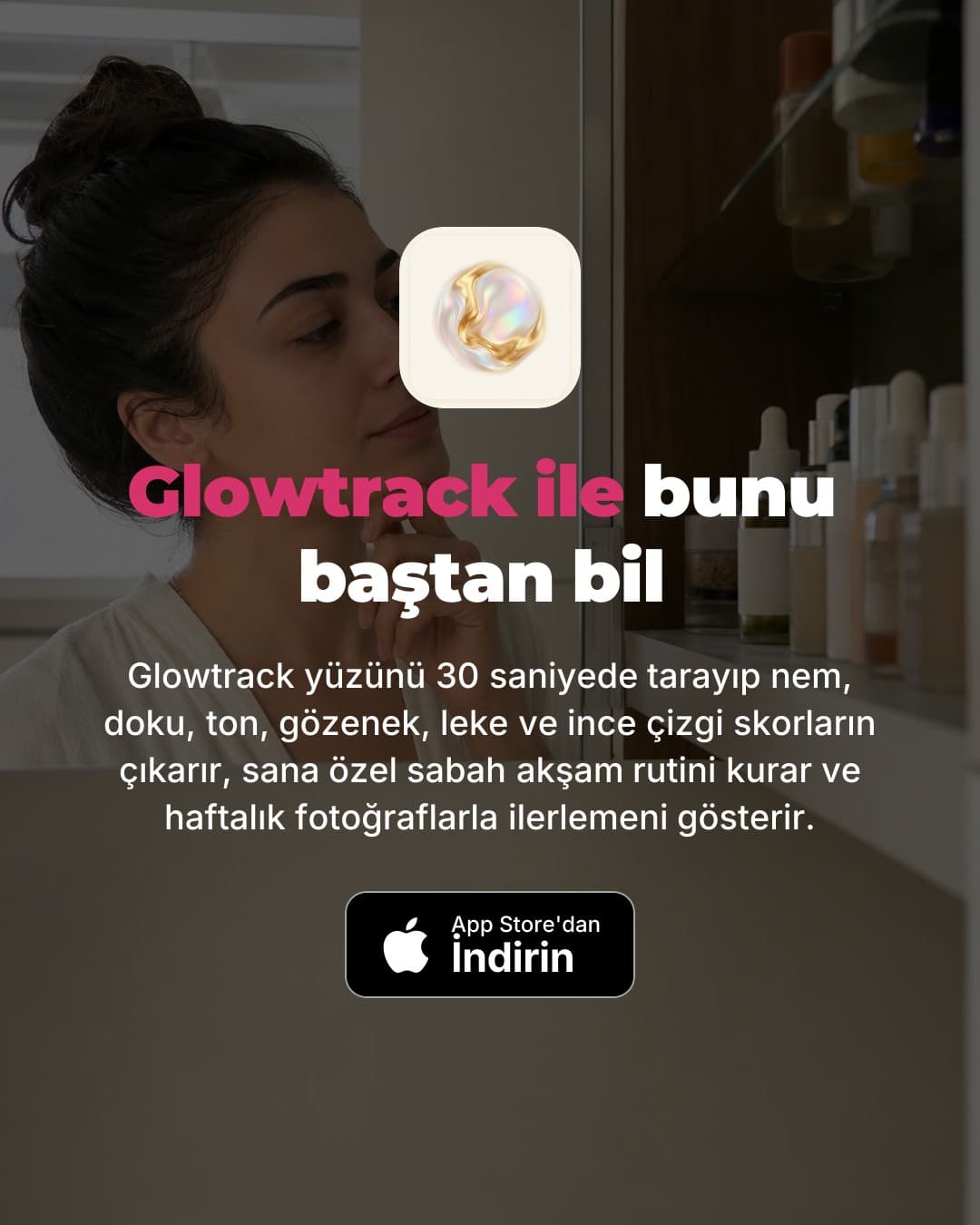
What makes an app slide work:
- The app name in large text. Many viewers never tap the link. They open the App Store and search the name. You will see this as a lift in App Store search downloads on days a post does well.
- The icon. It is what they look for in search results and on the store page.
- The store badge. It says which platform without a sentence. If you are iOS-only, the App Store badge saves Android users a wasted tap.
- “Link in bio” in the caption, not just on the slide, because the caption is visible while the post plays.
Then match the store page to the slides. If your post is about subscription leaks, the first screenshot on your TikTok custom product page should be the subscription list, not the onboarding screen.
Step 4: measure what the link does
You want to know how many installs came from TikTok, not just how many link taps. Ways to get that number, from simplest to most detailed:
- App Store custom product page analytics. If only your TikTok bio uses that custom page URL, its downloads in the Acquisition tab are effectively your TikTok link installs.
- App Store campaign links. App Store Connect can generate campaign links with a campaign name, which then appear as a campaign in App Analytics. Useful if you want to compare TikTok with Instagram.
- Google Play. Custom store listings report separately in Play Console, and a UTM-tagged referrer on the link shows up in acquisition reports.
- Search lift. Compare App Store search downloads on days after a strong post against your normal baseline. Not precise, but real.
Count the link installs and the search lift together. Judging TikTok on link taps alone undercounts it, often by a lot. For a broader view of which App Store Connect and Play Console numbers matter, see how to get app downloads without ads.
What to do before you have the link
If you cannot get a Registered Business Account in your region and are under 1,000 followers, you can still post. Put the app name, exactly as it appears in the store, on the last slide and in your TikTok display name. Write it in the pinned comment. Use the same icon as your profile photo. People will search. Then keep posting. Followers come as a side effect of posts that land, and 1,000 is a milestone you reach by volume, not by waiting.
This is also why we suggest starting before the link is perfect. The first 30 posts are for learning which angle works, and that learning does not need a link. Our slideshow strategy guide covers what to test in that first month, and how to get your first 1,000 downloads without ads puts TikTok in context with other free channels.
Where SlideBase fits
SlideBase starts from the same link you put in your bio. Paste your App Store or Google Play URL, and it reads the listing (name, description, screenshots), writes a 6 to 8 slide deck with the hook first and the app slide last, and lays it out in your brand colours, store badge included. You can schedule posts to TikTok and Instagram through their official APIs. More on how that works on the TikTok marketing for apps page; prices are on the plans page. If you have your link ready, create an account and paste it.
FAQ
Can I put a clickable App Store link in a TikTok caption?
No. Links in captions and comments appear as plain text and cannot be tapped. The only free clickable link is the website link on your profile, which needs 1,000 followers or a Registered Business Account. Paid ads can carry a clickable button.
Why don’t I see the option to add a website to my TikTok profile?
Either your account does not meet the requirement yet (1,000 followers or a Registered Business Account) or the feature is not available in your region. Switching to a Business Account and completing business registration is the usual route. If it still does not appear, contact TikTok support from the Help Center in the app.
Should I link to my App Store page or to my website?
Link to the store page directly if your app is on one platform. TikTok itself recommends direct links, and every extra page costs installs. Use a website with two store badges, or a smart link, only if you are on both App Store and Google Play.
What is an App Store Custom Product Page and do I need one for TikTok?
It is an extra version of your App Store page with its own screenshots, promotional text and URL. Apple allows up to 70. You do not need one, but it lets you match the page to your posts and see exactly how many downloads your TikTok link produced.
Does a Business Account hurt reach on TikTok?
We have not seen evidence that it does. The real cost is the music library, which is limited to commercially licensed sounds. For photo slideshows, where the text does the work, that is usually a fair trade for a clickable link.