
How to Make a TikTok Slideshow for Your App (Photo Mode, Step by Step)
Plan, design and post a TikTok photo slideshow for your app: a 7-slide template, sizes, posting steps in the app and the mistakes to avoid.
By the SlideBase team · November 4, 2026 · 9 min read
To make a TikTok slideshow, open TikTok, tap the plus button, choose Photo, upload between 2 and 35 images, add a sound, write a short title and description, and post. That part takes a minute. The work that decides whether your app gets downloads happens before you open TikTok: six to eight vertical slides with a hook on the first one, the problem and the payoff in the middle, and your app on the last. You can build those slides yourself in Canva, Figma or Keynote, or with a tool like SlideBase that drafts them from your App Store or Google Play link. This guide covers both, step by step.
What a TikTok slideshow actually is
TikTok calls it a photo post. Most people call it a slideshow or a photo carousel. The viewer sees one image at a time and swipes sideways to read the next, while a sound plays underneath. It sits in the same For You feed as video, so a slideshow from an account with no followers can still be shown to strangers on day one.
For an app, the format has one big advantage: every slide is a still image with text on it. No filming, no voiceover, no editing timeline. If you can write a clear sentence and take a screenshot of your app, you can make one. If you want the longer argument for why app accounts lean on this format, the TikTok slideshow strategy breakdown covers it. Here we stick to the how.
Step 1: plan the deck before you design anything
Most bad slideshows are bad because the creator opened a design tool first. Write the words in a notes app, one line per slide, and only design once the words read well on their own. Here is the skeleton we use for app posts, filled in for a made-up sleep app called Driftly:
| Slide | Job | Word budget | Driftly example |
|---|---|---|---|
| 1 | Hook: a person and a tension | 6 to 12 words | “I slept 8 hours and still woke up wrecked. Here’s why.” |
| 2 | Name the problem plainly | 15 to 25 words | “Hours in bed are not hours of sleep. Most of us lose 40+ minutes to waking up and not noticing.” |
| 3 | Make it specific | 15 to 25 words | “Late coffee, a warm room and a phone on the pillow are the usual three.” |
| 4 | The turn | 15 to 25 words | “When I fixed the room temperature alone, I stopped waking at 4am.” |
| 5 | Payoff in their life | 10 to 20 words | “Same 8 hours. Mornings stopped feeling like a hangover.” |
| 6 | The app, with a screenshot | 10 to 20 words | “Driftly shows which of the three is costing you sleep, night by night.” |
| 7 | What to do next | 5 to 12 words | “Free on iOS. It’s called Driftly.” |
Two rules keep this honest. The app does not appear before slide 6, because a deck that opens with your logo reads as an ad and gets swiped past. And every slide has to earn the swipe to the next one, which usually means ending a slide on a half-answered question. If the first line is the hard part for you, our library of TikTok hooks for apps is sorted by category, and the hook formulas article breaks down the patterns behind them.
Step 2: pick a slide size and stick to it
TikTok’s help pages do not publish a required aspect ratio for photo posts. In practice you have two good choices: 9:16 (1080 × 1920 pixels), which fills the phone screen, or 4:5 (1080 × 1350), which leaves room above and below for TikTok’s buttons and caption and can be reused on Instagram without changes. We default to 4:5 for that reason. Whatever you pick, keep every slide in a deck the same size so the post does not jump between frames. The full numbers, file limits and safe zones are in the TikTok slideshow size guide.
Step 3: design the slides
You do not need design skills, but you do need a few constraints:
- One idea per slide. If a slide needs two sentences that point in different directions, split it.
- Big text. The headline on slide 1 should be readable at arm’s length on a phone. In a 1080-pixel-wide canvas that means roughly 80 to 110 pixel type for the hook and 40 to 56 for body text.
- Keep text out of the edges. TikTok overlays the like, comment and share buttons on the right and your caption at the bottom. Text that sits there gets covered.
- Real images over decoration. A photo of the situation (a messy desk, a grocery receipt, a bedroom at 4am) or a screenshot of your app does more than gradients and icons.
- Same fonts and colours throughout. Use your app’s brand colours so the last slide feels like part of the post, not a sudden ad.
- Export as JPEG. Tools that post through TikTok’s API accept JPEG or WebP; JPEG is the safe default for posting by hand too.
Here is what that looks like in a real deck. These are three of ten slides SlideBase generated for a food-tracking app called BitePal from its store listing:
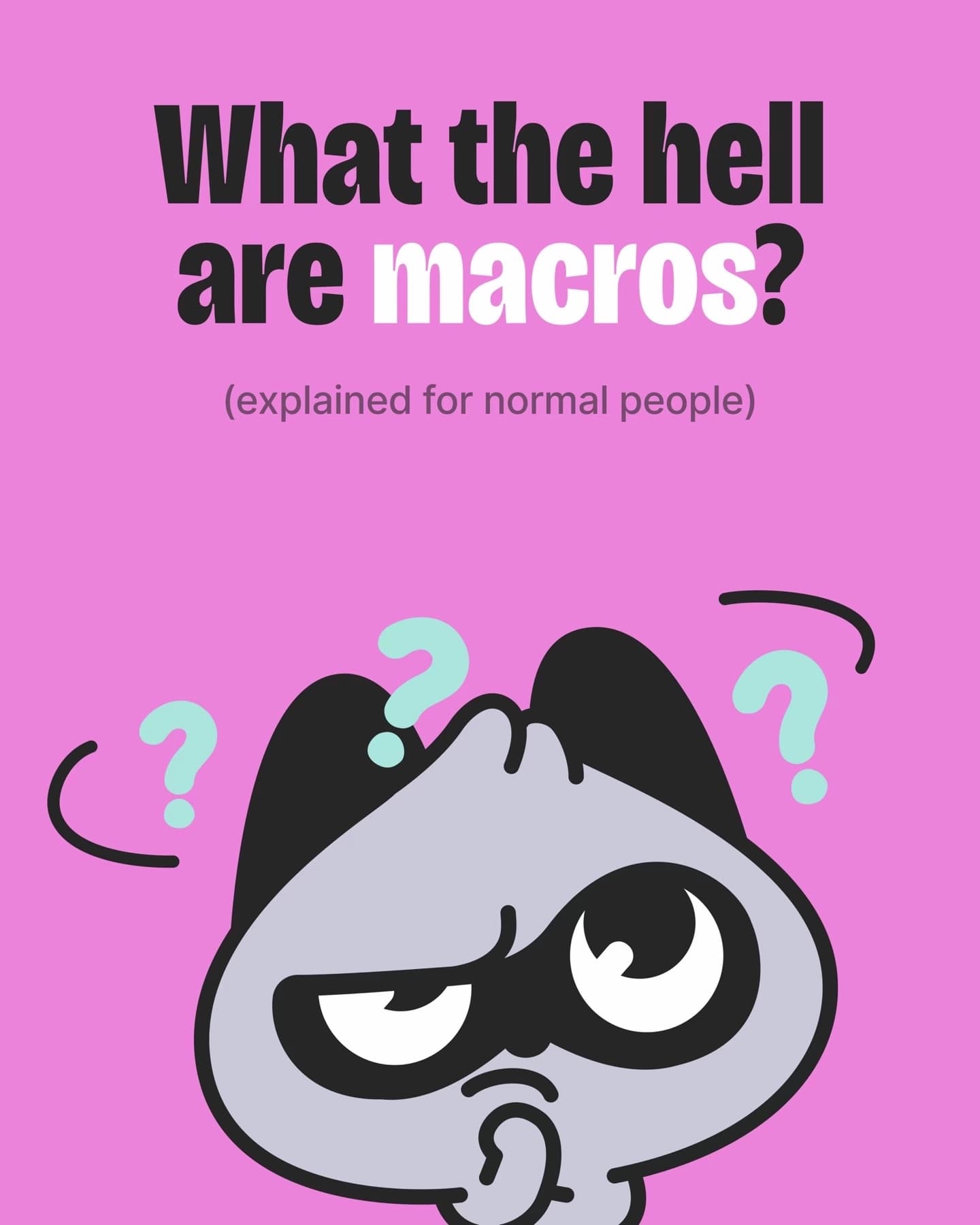
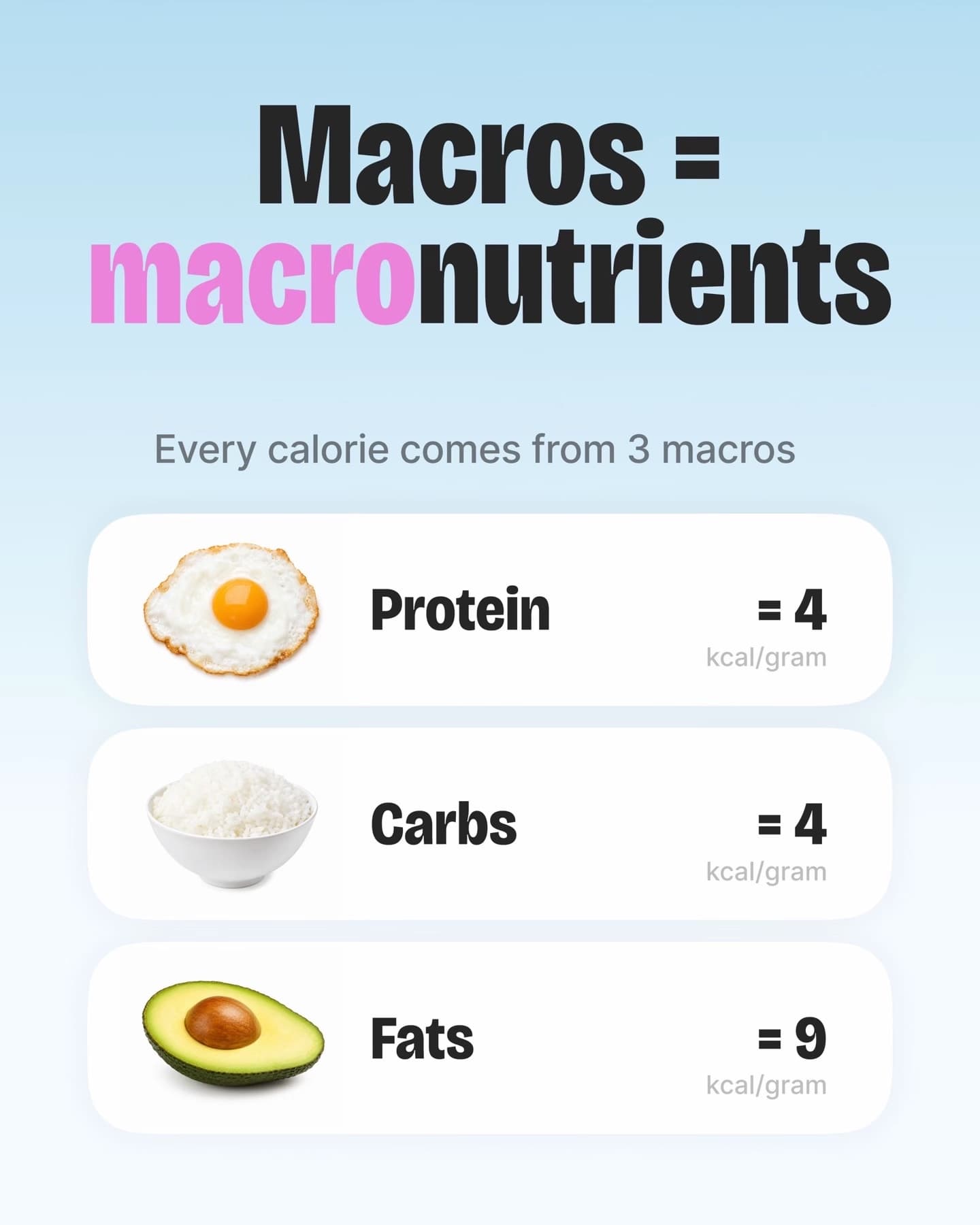
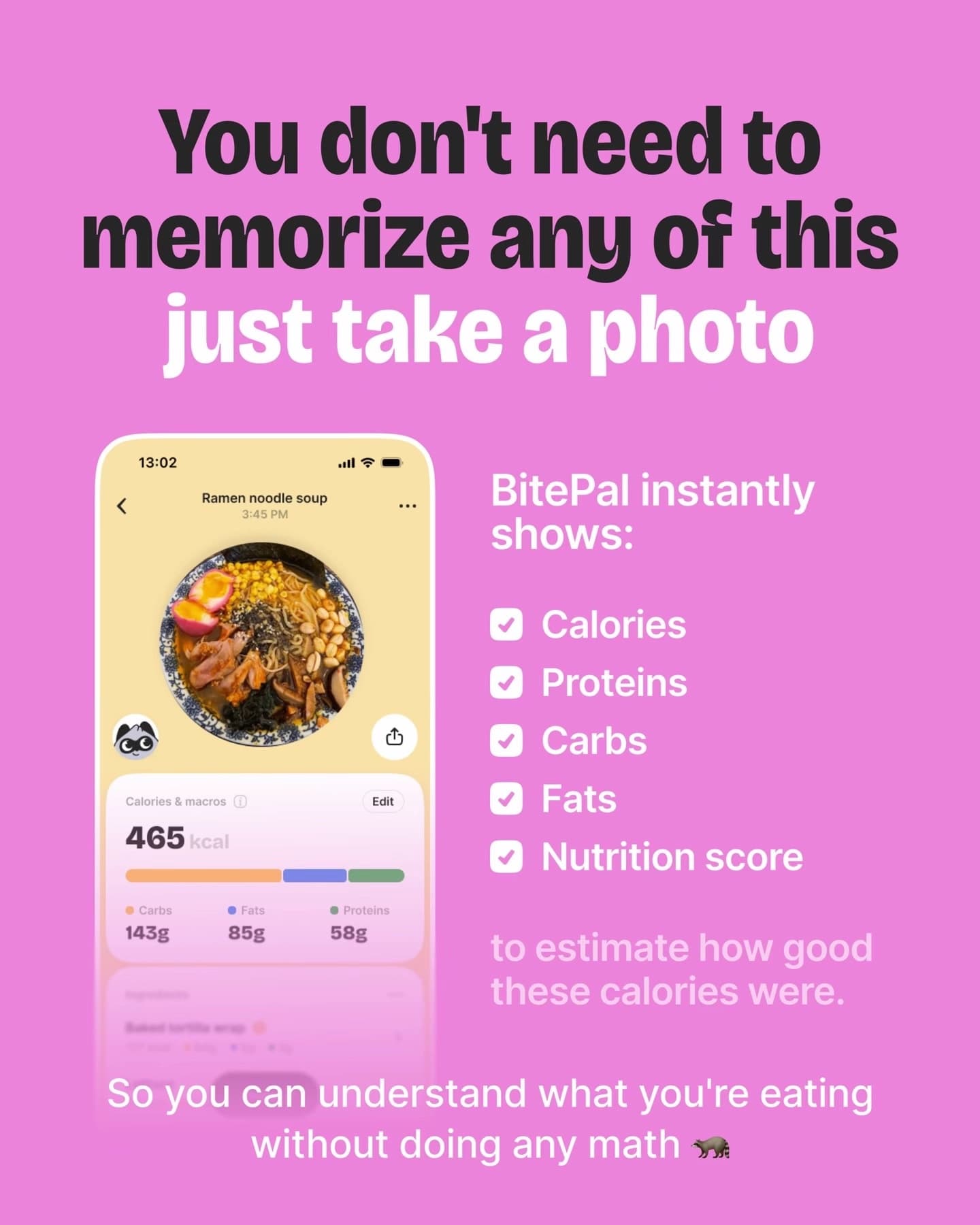
Notice that the deck is mostly useful information. The app only shows up once the viewer has learned something, which is why the last slide reads as a favour instead of a pitch.
Three ways to produce the slides
| Method | Time per post | Good at | Where it hurts |
|---|---|---|---|
| Canva or Figma template | 30 to 60 minutes once you have a template | Full control over every pixel; free or cheap | You still write every word and find every photo, every day |
| Keynote or Google Slides, exported as images | 30 to 45 minutes | Fast if you already think in slides; easy to duplicate a deck | Export settings are fiddly; decks start to look like presentations |
| SlideBase (from your store link) | A few minutes to review and edit | Reads your listing, writes hook, slide text and caption, lays out the deck in your colours | Paid plans only; it is built for app marketing, so it is the wrong tool for a personal photo dump |
If you are making one slideshow to try the format, use a template tool. The math changes when you want to post daily for a month, which is what it usually takes to learn anything on TikTok. At 45 minutes a post, thirty posts is more than twenty hours of layout work on top of building your app.
Step 4: post it in the TikTok app
- Move the finished slides to your phone (AirDrop, Google Drive or a cable) and keep them in order in your camera roll.
- Open TikTok and tap the plus button at the bottom.
- Choose Photo, then Upload, and select your slides in order. TikTok’s support page puts the limit at 35 photos per post; for an app deck you will use 6 to 8.
- Tap Next. You can add a sound, text, stickers or a filter here. Add a sound (quiet, instrumental, or a current trending track that fits the mood), and leave the slides otherwise alone; your text is already on them.
- Write the title and description. The title is short (TikTok’s posting API caps it at 90 characters), so restate the hook. The description can be much longer; put the keywords people would search for and one line pointing to the app. Our guide to slideshow captions and hashtags for apps has 30 templates.
- Pick a cover. By default it is the first photo, which is what you want: slide 1 is your hook.
- Tap Post, or save to Drafts if you want to publish at a better time.
If you would rather not move files to your phone every day, scheduling tools can publish photo posts through TikTok’s official Content Posting API. You connect your account with TikTok’s own login screen (OAuth) and can revoke access whenever you like. No tool should ask for your password. SlideBase does this through its TikTok slideshow scheduler.
Step 5: check it after 48 hours, not 2
Slideshows often pick up late, as saves and shares accumulate. Look at views, the share of viewers who visited your profile, and whether your app’s store page saw a bump. Write down the hook and the angle next to the 48-hour view count in a spreadsheet. After a few weeks of posts, that sheet is what tells you which angle to repeat. The full TikTok playbook for apps explains how to set up the account and measure installs, and the slideshow vs video comparison helps if you are still deciding on the format.
Mistakes we see in almost every first slideshow
- The app name on slide 1. Nobody on the For You feed knows your app yet. Open with their problem.
- Twelve slides because the feature list is long. If the deck needs more than 8 slides, it is probably two posts.
- Text in the bottom fifth of the slide. That is where the caption sits. It gets covered on almost every phone.
- Screenshots too small to read. Crop to the one part of the screen that proves your point and make it big.
- Mixed sizes in one deck. A 9:16 slide followed by a 1:1 slide makes the post look broken.
- Judging the format after three posts. Distribution is noisy. Give it 20 to 30 posts before deciding it does not work.
Where SlideBase fits
We built SlideBase because steps 1 to 3 are the part that kills daily posting. You paste your App Store, Google Play or website link (or type the app’s name and a description if it is not listed yet). SlideBase reads the public listing, works out who the app is for, writes the hook and the slide text, writes a caption with five hashtags, and lays out six to eight slides in your brand colours. You can edit any of it, download the slides as JPEGs or a ZIP to post by hand, or publish and schedule to TikTok and Instagram through their official APIs.
Credits are spent per slide, so a six-slide post costs about six credits, and unused credits roll over. Starter is $29 a month for 200 credits; Pro ($49) and Ultra ($99) come with a 3-day trial. Details are on the plans page, and the slideshow generator page shows more output. If you want to see what it makes for your own app, create an account and paste your link.
FAQ
How many photos can a TikTok slideshow have?
TikTok’s support page says up to 35 photos in one photo post, and its Content Posting API has the same 35-image cap. For app promotion, 6 to 8 slides works better than the maximum: long enough to tell a problem and a fix, short enough that people reach the slide with your app on it.
Can I make a TikTok slideshow on my computer?
You can design the slides on a computer in Canva, Figma or Keynote and export them as JPEGs. To publish, either move them to your phone and post in the app, or use a scheduling tool that posts photo posts through TikTok’s official API from your browser.
Should my slideshow have music?
Add a sound. Viewers expect one, and a quiet track does not compete with your text. Business accounts are limited to TikTok’s commercial music library, which is fine for slideshows because the words on the slides carry the post, not the audio.
How do I make a TikTok slideshow for my app without designing it myself?
Start from your store listing. SlideBase reads your App Store or Google Play page and drafts the hook, slide text, caption and layout in your brand colours, and you edit before anything goes live. If you prefer a free route, duplicate one Canva template and change only the words each day.
Why does my slideshow get fewer views than my videos?
Usually it is the first slide. A slideshow lives or dies on whether slide 1 makes people want slide 2, so a weak hook shows up immediately in the numbers. Rewrite the opening line before changing anything else, and compare posts in groups rather than one at a time.