
How to Promote Your App on Instagram With Carousels
Set up an Instagram account for your app, build 4:5 carousels, reuse TikTok slideshows, pick 5 hashtags and measure installs, without ads.
By the SlideBase team · November 4, 2026 · 8 min read
The cheapest way to promote your app on Instagram is to post carousels: 4:5 photo posts of six to eight slides that teach or show something useful, with the app on the last slide and a link in your bio. Set up a professional account, post three to seven carousels a week, reuse your best TikTok slideshows, and measure installs with a dedicated store link. Paid boosts come later, on posts that already worked. SlideBase can generate those carousels from your App Store or Google Play link and publish them to Instagram, but everything below works with any design tool.
How Instagram differs from TikTok for an app
If you have read our TikTok playbook for apps, most of the post structure carries over. The environment does not.
| TikTok | ||
|---|---|---|
| Who sees a new account’s posts | Mostly strangers, through For You | Followers first, then non-followers through recommendations, Explore and hashtags |
| Photo format | Photo post, up to 35 images | Carousel, up to 20 photos and videos (per Instagram’s Help Center) |
| Best slide shape | 9:16 fills the screen; 4:5 leaves room for the interface | 4:5 is the tallest shape the feed shows uncropped |
| Links | Bio link (follower rules vary by account type) | Up to five bio links; link stickers in Stories |
| Hashtags | No published cap | Five per post since December 2025 |
| What people do with good posts | Watch, swipe, share | Save, send in DMs, revisit |
Two consequences. First, Instagram is slower to start: a brand-new account has no followers to seed the first impressions, so expect weeks of quiet before recommendations kick in. Second, Instagram rewards posts people keep. A carousel that someone saves to come back to (a checklist, a chart, a “how to” in six steps) is the Instagram equivalent of a TikTok post that gets watched twice.
Step 1: set up the account
- Switch to a professional account. Business or Creator. Both give you insights, and both are required if you want to post or schedule through Instagram’s official API (which is how tools like SlideBase publish without your password).
- Name field = app name plus outcome. The name field is searchable. “BitePal · photo calorie counter” is found by people who search “calorie counter”.
- Bio: one sentence and one action. “Snap your meal, see your macros. Free on iOS ↓”.
- Links. Put your App Store or Google Play link first. If you have both, add both; Instagram allows several. Use a custom product page or UTM link so you can count installs from Instagram separately.
- Highlights. Three Story highlights: what the app does, how it works (screenshots), and reviews. New visitors look at these before following.
Step 2: build carousels the Instagram way
The post structure is the same as on TikTok: hook on slide 1, the problem and payoff in the middle, the app at the end. What changes is the format details.
- Use 4:5, 1080 × 1350 (or 1440 × 1800). Instagram keeps a photo’s full resolution when its ratio is between 1.91:1 and 4:5, and Meta’s API documentation caps image width at 1440 pixels. 4:5 takes the most room in the feed. Our size guide has all the numbers.
- Every slide the same shape. Instagram crops a carousel based on the first image, so a mixed deck gets cropped unevenly.
- Make slide 2 strong. Many people only see slide 1 on the first pass. A second slide that pays off the hook is what earns the swipe and the save.
- Design something to save. End the useful part with a summary slide (“the checklist”) just before the app slide.
- Stay readable at a glance. Instagram’s feed is scrolled faster than TikTok’s is watched. Fewer words per slide than you think.
Here is a carousel SlideBase generated in Turkish for a skincare app called Glowtrack, at 4:5:

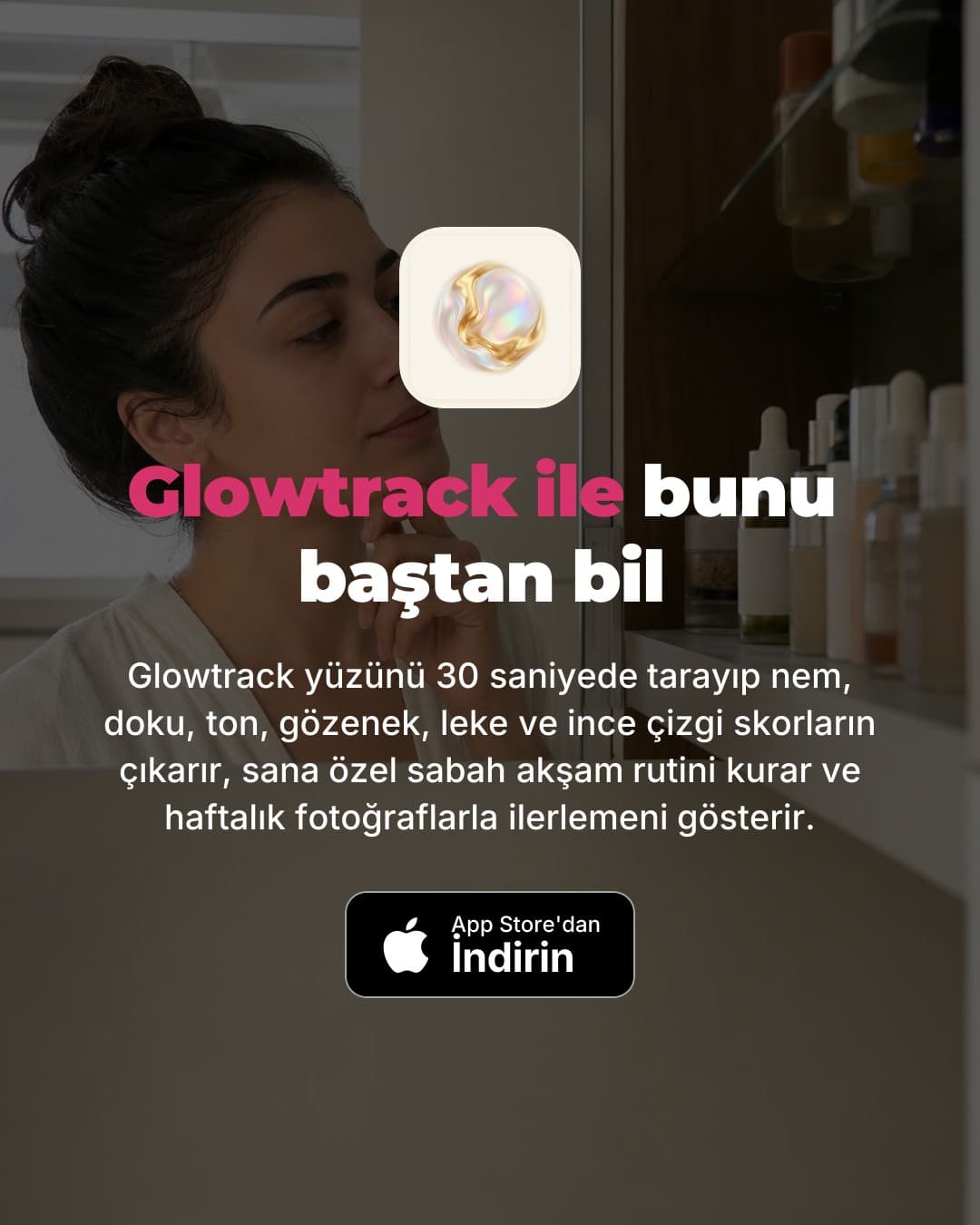
The five tips in the middle are genuinely useful without the app. That is what makes the last slide land, and what makes people save the post. You can see more examples on the Instagram carousel generator page.
Step 3: decide what to post
You do not need an Instagram-only content plan. The best source of Instagram carousels is your TikTok slideshows that already performed. They have been tested on strangers, so you know the hook works. Re-post the winners at 4:5 with an Instagram caption.
For a weekly mix, this works for most apps:
| Post type | Per week | Why on Instagram |
|---|---|---|
| Save-worthy carousel (checklist, guide, chart) | 2 to 3 | Saves and DM shares are what Instagram’s audience does with useful posts |
| Relatable carousel (story, confession, comparison) | 1 to 2 | Gets shared with friends, which brings in non-followers |
| App-forward carousel (feature, update, review) | 1 | Converts existing followers into installs |
| Stories (screenshots, polls, link sticker) | 3 to 5 | Only followers see them, but the link sticker is the most direct path to the store |
| Reel (optional) | 0 to 2 | Wider reach to non-followers; worth it only if you can make video cheaply |
On Reels: they are Instagram’s main route to non-followers, and if your app shows well in a short screen recording, add them. If not, carousels alone are a reasonable plan for a solo developer. The tradeoff is the same one we cover in slideshows vs video for app downloads.
For ideas that work on both platforms without a camera, see 25 faceless ideas for apps. Your face is no more required on Instagram than on TikTok; faceless app marketing covers the approach.
Step 4: write captions and pick hashtags
Instagram captions can run to 2,200 characters, but only the first line or two shows before “more”. Use the same three-line shape as on TikTok: hook with a search term, one line of context, the app and where to get it. Change “link in bio” to point at your bio link explicitly, since that is where your store links live.
Hashtags: five maximum now, so make them count. One for the category, two for the specific problem, one for the audience, one for your app. Skip #explore, #reels and other tags that describe everything. We list starting sets per app category in our caption and hashtag templates.
Step 5: post consistently and measure installs
Three carousels a week is a sustainable floor; one a day is better if production is cheap. Keep it up for six to eight weeks before judging, because Instagram growth for a new account is slow at first.
Measure the path, not the likes:
- Reach from non-followers in post insights. This tells you whether Instagram is recommending you.
- Saves and shares per post. The best signal of which topics to repeat.
- Profile visits and link taps. Whether interest turns into curiosity about the app.
- Installs from the dedicated link. App Store Connect shows product page views and downloads for a custom product page; Google Play Console reports UTM-tagged traffic.
Do not expect TikTok-style spikes. Instagram tends to deliver steadier, smaller numbers, and followers who come back. For the bigger picture of how Instagram sits beside ASO, Reddit and TikTok, read how to get app downloads without ads and the indie app marketing guide.
When to boost a post
Instagram lets you boost any post with a budget from the app. Treat it like TikTok’s Promote button: only boost carousels that already did well organically (high saves and shares relative to reach), point the boost at your profile or store link, and start small. Boosting a post nobody saved rarely fixes it. If you move to full Meta Ads Manager campaigns with app-install objectives, your best organic carousels are already proven creatives.
One library, two channels
The effort that makes Instagram worth it for a small team is producing one deck and using it twice. SlideBase does this from a single library: paste your App Store, Google Play or website link, and it writes the hook, slide text, caption and five hashtags and lays out six to eight slides in your brand colours. When you share a deck to Instagram, it prepares a 4:5 version of the same slides rather than cropping them, and publishes or schedules to your Instagram Business or Creator account through Meta’s official API, with OAuth instead of a password. SlideBase currently caps Instagram carousels at 10 slides, and daily autopilot posting is TikTok-only for now; Instagram posts are published or scheduled one at a time. See the scheduler for how posting works.
Credits are spent per slide, so a six-slide carousel costs about six credits, and posting the same deck to a second platform does not mean generating it again. Plans start at $29 a month (Starter), with a 3-day trial on Pro and Ultra; details on plans. Try the slideshow generator, or sign up and paste your app’s link.
FAQ
Is Instagram or TikTok better for promoting an app?
TikTok usually gets a new account in front of strangers faster, because its feed is less tied to followers. Instagram is slower to start but builds a following that saves and revisits posts. Most indie apps start on TikTok and reuse their best slideshows on Instagram as carousels.
How many slides can an Instagram carousel have?
Instagram’s Help Center says up to 20 photos and videos in one post, and Meta’s publishing API documentation now gives the same limit. For app promotion, six to eight slides is plenty. Make them all 4:5 so none get cropped.
Do I need a business account to promote my app on Instagram?
You need a professional account (Business or Creator) for insights and for posting through scheduling tools that use Instagram’s official API. Either type works. Business is the usual choice for an app because it can show contact options and connects to Meta’s ad tools.
How do I put my App Store link on Instagram?
Add it to your bio links, use a link sticker in Stories, and mention the app name in captions so people can search the store. Links in post captions are not clickable. A custom product page URL lets you count installs from Instagram separately.
Should I post Reels or carousels for my app?
Carousels if your app is best explained with words and screenshots, Reels if it has to be seen moving. Reels reach more non-followers; carousels are cheaper to make and get saved. Many apps do mostly carousels and add a Reel when they have a strong screen recording.