
How Many TikTok Slideshows per Day Should an App Post?
One a day to learn, two or three once an angle works, then more accounts. Frequency by stage, time and credit cost, and signs you post too much.
By the SlideBase team · November 4, 2026 · 8 min read
Most apps should post one TikTok slideshow per day per account for the first 30 days, then move to two or three a day once they know which angle works. Beyond about three a day, add a second account rather than more posts on the first, because each account’s posts start competing with each other for the same audience. If producing that many slides by hand is the bottleneck, a generator such as SlideBase, which turns your app’s store listing into ready-to-post slideshows, is one way to keep the volume up.
That is the short answer. The rest of this article explains why those numbers, how to tell when to move up or down, and what each level costs in time and, if you use a tool, in credits.
Why volume matters more on TikTok than anywhere else
TikTok tests every post on a small group of viewers before deciding whether to show it to more. The result of that test is noisy. The same slideshow can get 300 views one day and 30,000 the next depending on who happens to be in the test group. That has two consequences.
- You need many posts to learn anything. With five posts you cannot tell a bad hook from bad luck. With 30, patterns appear.
- Results come from a few outliers. In most app accounts, one post in 20 or 30 does more views than the rest combined. More posts means more chances to hit one.
This is also why the consumer apps that grew on TikTok post a lot. Shortimize, which tracks app TikTok accounts, has published case studies describing app teams running many accounts and very high daily volumes. You do not need anything like that to start, but it shows the direction: on TikTok, frequency is a growth lever, not a vanity metric. Our slideshow strategy guide goes into how those apps structured their posting.
The recommended frequency by stage
| Stage | Posts per day | Accounts | Move on when |
|---|---|---|---|
| 1. Learning (days 1–30) | 1 | 1 | You have 30 posts and can name your best angle |
| 2. Doubling down (month 2) | 2 | 1 | Your best angle keeps beating your median across a dozen posts |
| 3. Scaling (month 3+) | 2–3 | 1–2 | Views per post on the main account stop rising as you add posts |
| 4. Multi-account | 2–3 each | 3+ | Each account has its own angle or audience |
These are starting points from what we have seen and read, not limits TikTok publishes. TikTok does not state a maximum number of posts per day that triggers a penalty. What tends to happen instead is softer: when you post too often on one account, each post gets a smaller test group and your followers see more posts than they want, so views per post drop.
One a day: why it is the right floor
One post a day is the least you can do and still learn quickly. Thirty posts in a month is enough to compare angles. It is also realistic for a solo developer who is still shipping the app: an hour a day by hand, or a few minutes if a tool does the layout.
Fewer than one a day (three a week, say) is not useless, but it stretches the learning period to two or three months, and most developers give up before then. If you can only manage three a week, make every one of them a clean test: same structure, different hook, so each post teaches you something.
Two to three a day: when and how
Move up once you have a winning angle, not before. Posting three times a day while you are still guessing just triples the guessing. Once you know, for example, that your “mistakes” posts beat your “relatable” posts, two or three a day lets you produce variations of the winner fast.
Practical rules at this level:
- Space posts at least three to four hours apart so each one has time to finish its first test before the next starts.
- Vary the hook, not just the slides. Two posts a day with the same first slide wording look like spam to viewers.
- Keep one slot for experiments. If you post three a day, make two of them variations of what works and one a new idea. Otherwise the account stops learning.
- Repost the same decks to Instagram as carousels. It doubles reach without doubling writing. See promoting your app on Instagram.
When to add a second account instead
A second account makes sense when your main account’s views per post stop rising even as you post more, or when you have two clearly different audiences. A fitness app might run one account for beginners and one for lifters; a language app might run one per language. Each account then builds its own audience, and posts do not compete for the same viewers.
Multiple accounts add work: each one needs a profile, a bio link and its own posting schedule, and each must follow TikTok’s community guidelines on its own. Do not post identical content across accounts; give each one its own angle. A scheduler that posts through the official API stops this from becoming a full-time job.
An example of a deck you could post daily
These slides come from a 6-slide deck SlideBase generated for a training app called Arrow. Six slides is a good daily length: long enough to make an argument, short enough to finish in a few seconds of swiping.

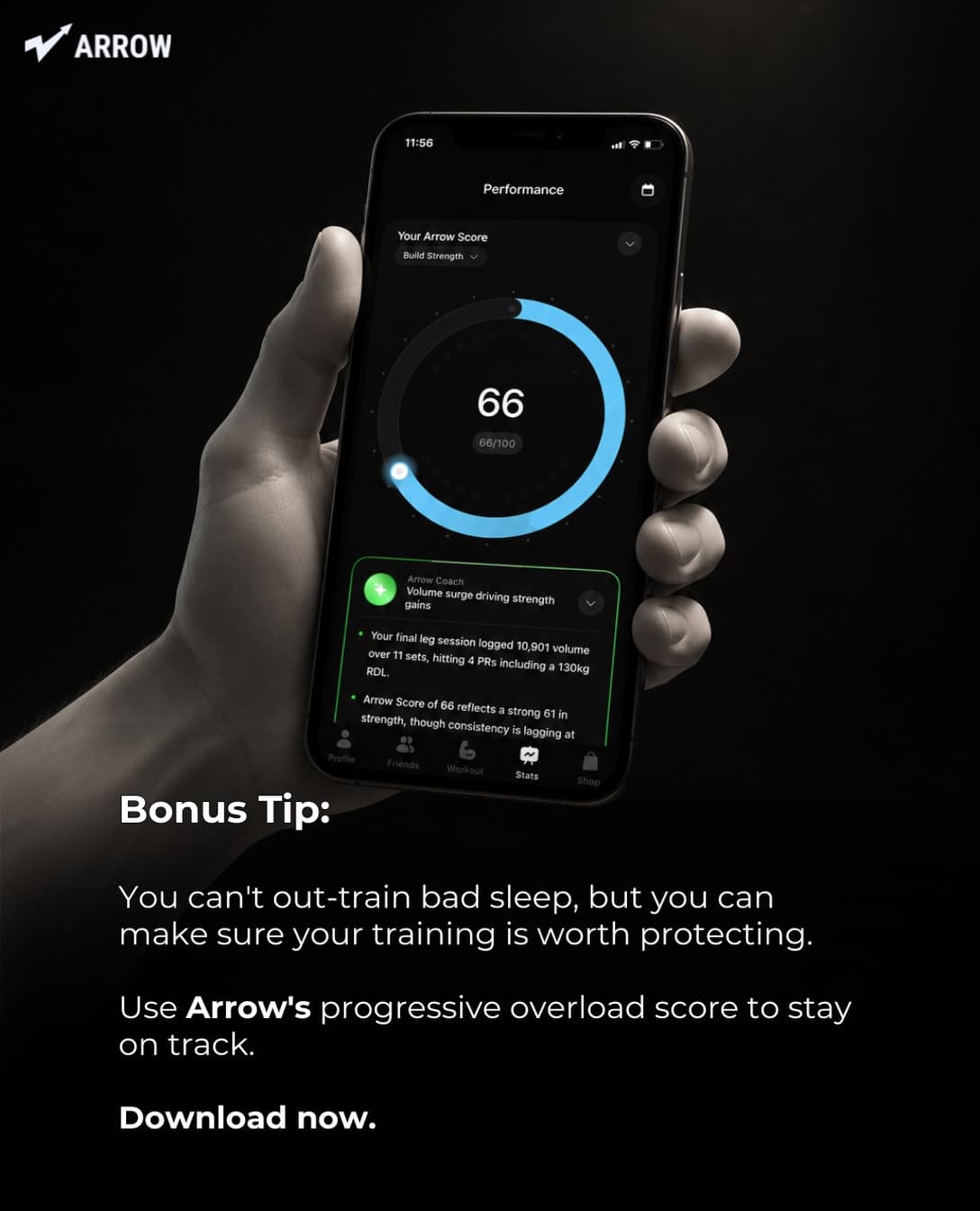
One topic like this can produce several posts: the same evidence with a different hook, a mistake framing (“3 sleep mistakes that cost you gains”), or a checklist. That is how you reach two or three a day without running out of ideas. For more angles, see TikTok content ideas for apps and slideshow hook formulas.
What each frequency costs
Time is the real cost. Here is a rough comparison for 6-slide decks, including the credit cost if you use SlideBase, where credits are spent per slide (a 6-slide post is about 6 credits) and unused credits roll over.
| Frequency | Posts a month | By hand (about 45 min each) | SlideBase credits (6 slides each) | Plan that covers it |
|---|---|---|---|---|
| 1 a day, 1 account | 30 | about 22 hours | about 180 | Starter (200 credits) |
| 2 a day, 1 account | 60 | about 45 hours | about 360 | Pro (400 credits) |
| 3 a day, 1 account | 90 | about 67 hours | about 540 | Ultra (1,000 credits) |
| 2 a day, 3 accounts | 180 | about 135 hours | about 1,080 | Ultra plus extra credits |
Two things stand out. By hand, anything beyond one a day becomes a second job, which is why most solo developers who post that much use templates or a generator. And regenerating a slide you did not like also uses credits, so leave some headroom. Current prices and allowances are on the plans page; Pro and Ultra include a 3-day trial, Starter starts paid.
Signs you are posting too much (or too little)
Too much
- Views per post fall steadily over two weeks while the number of posts rises.
- You are reusing hooks because you have run out of new ones.
- You stopped reading the comments because there is no time.
- Quality checks slip: typos, wrong screenshots, slides that do not match the hook.
Too little
- After a month you still cannot say which angle works best.
- One good post is followed by days of silence, so new followers have nothing else to see.
- You judge the whole channel on how the last two posts did.
Does posting time matter?
Less than frequency. Pick a time when your audience is likely awake and free (evenings in their main time zone are a safe default), and keep it consistent so you can compare posts fairly. If you post more than once a day, spread posts across the day rather than stacking them in the evening. TikTok analytics on a Business account shows when your followers are active; use that once you have a few hundred followers.
A simple weekly rhythm for two posts a day
- Monday: look at last week’s numbers, pick the two best angles.
- Monday and Tuesday: create 14 decks: ten variations of the winning angles, four experiments.
- Tuesday: schedule all 14 for the week, morning and evening slots.
- Every day: 10 minutes replying to comments.
- Sunday: fill in the spreadsheet (hook, angle, 48-hour views, saves, profile visits).
Batching like this keeps the daily cost close to zero, which is what makes high frequency sustainable for a solo developer. If you are just starting, the 30-day launch plan gives a day-by-day calendar for the first month, and the TikTok promotion guide covers account setup. When you are ready to try a higher volume, you can start with your app’s link and generate the first week of slides from the slideshow generator.
FAQ
How many times a day should an app post on TikTok?
Once a day per account for the first month is enough to learn what works. Move to two or three a day once you have a winning angle. Past three a day, a second account usually helps more than extra posts on the first.
Does posting too much on TikTok hurt reach?
TikTok does not publish a hard limit or penalty. In practice, too many posts on one account can lower views per post, because posts compete for the same audience and followers tire of seeing so many. Watch views per post over two weeks as you increase frequency.
Is it better to post slideshows or videos for daily volume?
For a solo developer, slideshows. They take minutes to produce once you have a system, need no camera and get the same For You distribution. That makes daily or twice-daily posting realistic. Our slideshow vs video comparison covers the trade-offs.
Should I run multiple TikTok accounts for my app?
Only after one account is working and you have a reason for a second, such as a different audience or language. Give each account its own angle, do not post the same content to all of them, and make sure each one follows TikTok’s rules on its own.
How many credits does daily posting use in SlideBase?
Credits are spent per slide. One 6-slide post a day for a month is about 180 credits, which fits the Starter plan’s 200. Two a day is about 360, which fits Pro’s 400. Unused credits roll over.