
TikTok Slideshow Ideas for AI Apps (Photo Editors, Chat, Generators)
15 first-slide lines for AI photo, chat and generator apps, one full deck per type, and the AI-label and likeness rules to follow on TikTok.
By the SlideBase team · November 4, 2026 · 9 min read
AI apps sell on TikTok when the slideshow shows the output, not the technology. Viewers do not care which model you use; they care that one photo of their plate became a calorie count, or a boring selfie became a headshot they would put on LinkedIn. The strongest decks pick one everyday input, show what the app turns it into, and let the result do the arguing. Below are 15 first-slide lines split by AI app type (photo editors, chat assistants, generators), one full 6-slide outline for each type, and the disclosure rules you need to follow. SlideBase, itself an AI app, can turn your store listing into decks like these; the ideas also work if you build slides by hand.
Why AI apps have it both easier and harder
Easier, because the output is the content. A photo-editing app has a before and an after, which is the most swipeable structure there is. A chat assistant has transcripts that read like small stories. A music generator has a song you can name on slide 1.
Harder, because the category is crowded and viewers are tired. Every week a new “AI that does X” appears, and a lot of the feed is AI slop: generic images, inflated claims, apps that turn out to be a thin wrapper with a paywall in front. Your posts have to signal the opposite: specific, honest, and useful without installing. Three habits help more than anything:
- Name the input in plain words (“one photo of your plate”, “a voice note”, “your worst selfie”).
- Show a real output from your app, including one that is imperfect.
- Never write “AI-powered” on a slide. It describes every app in your category, so it distinguishes none of them.
An AI app deck SlideBase generated
BitePal is an AI calorie app: you photograph a meal and it estimates calories and macros. SlideBase made a 10-slide explainer for it. The two slides below are the turn and the close, and they show how an AI app deck can hold back the product until the problem is fully felt.
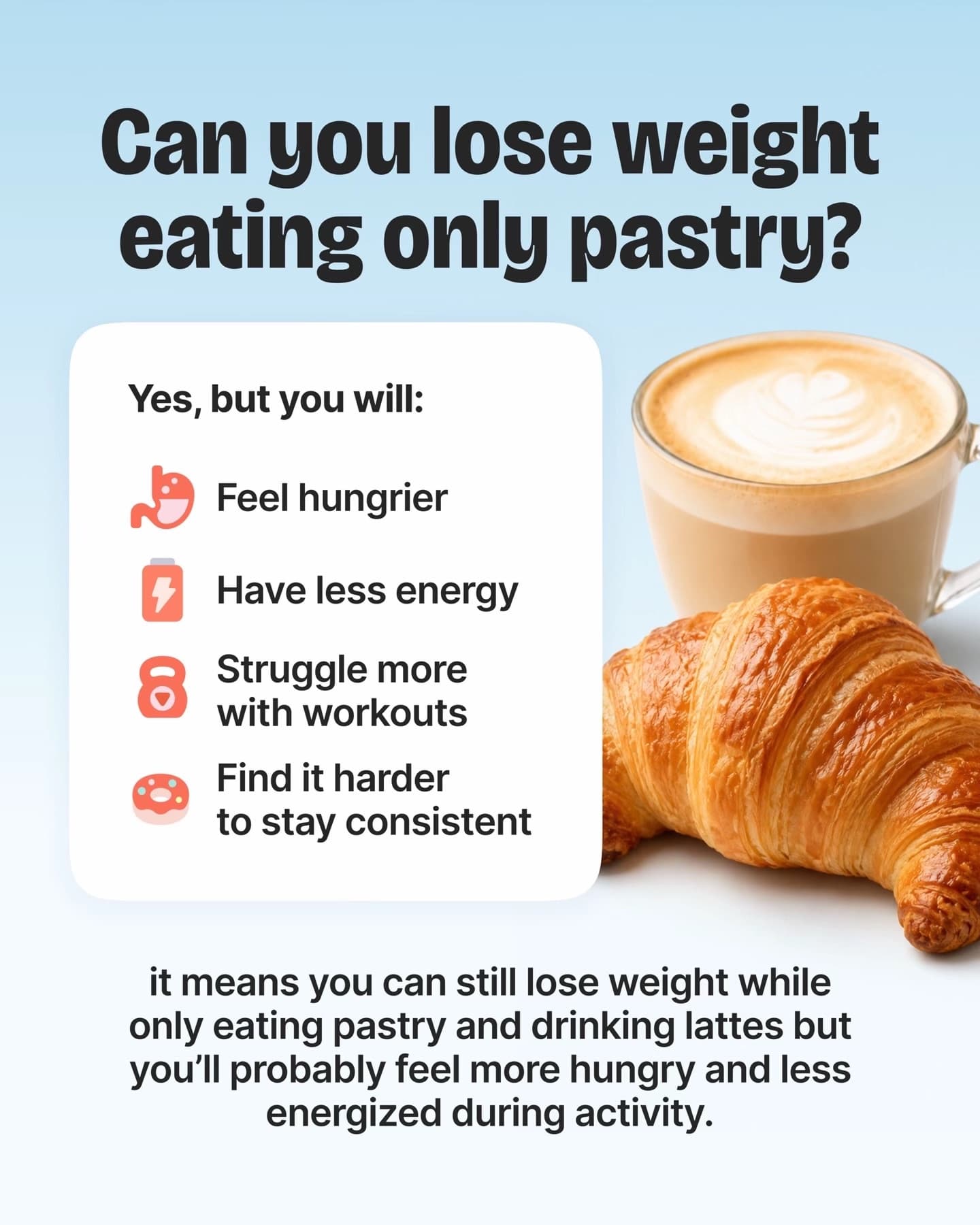
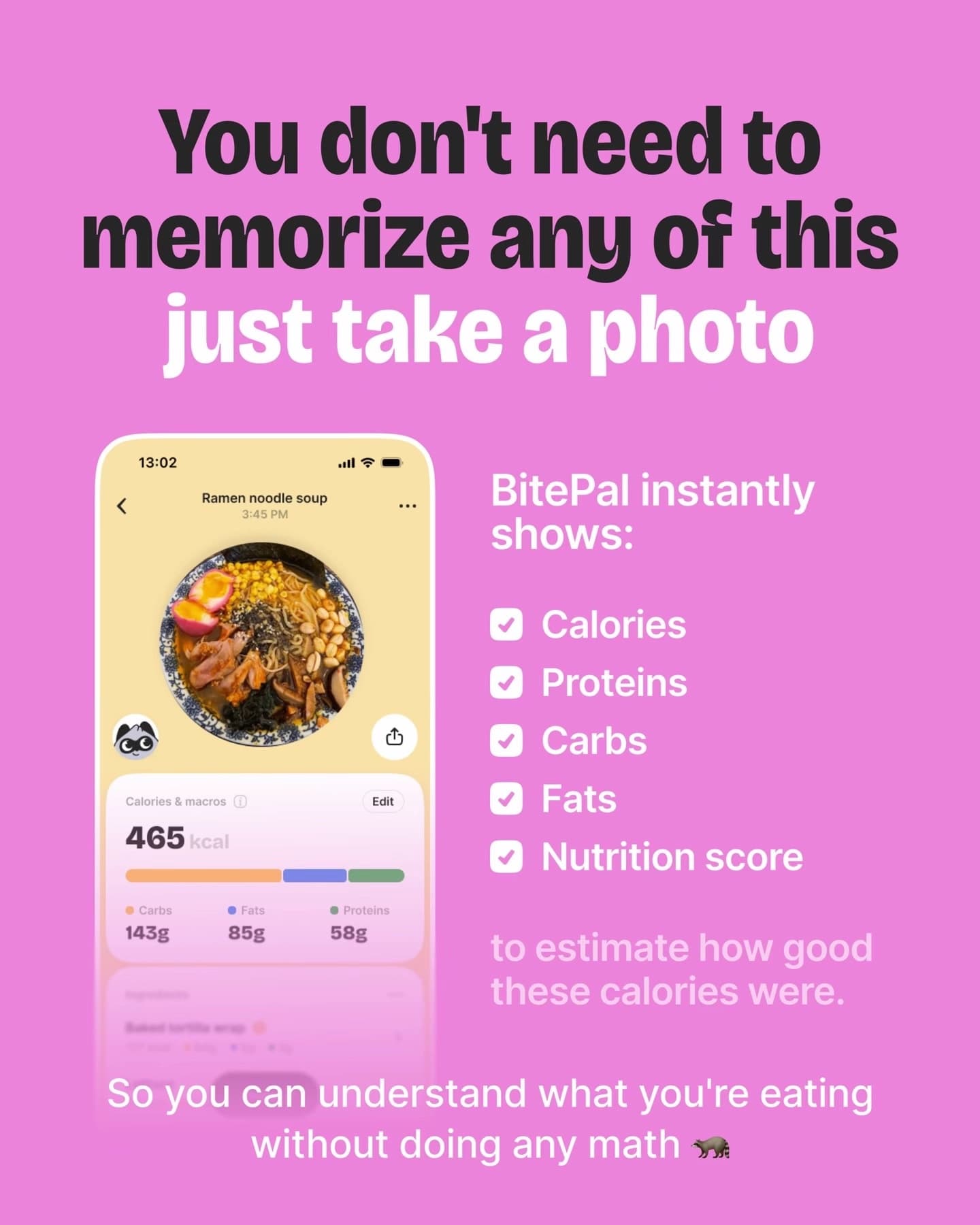
The deck never mentions AI as a selling point. It teaches macros for eight slides, makes the viewer feel how much there is to remember, then says “just take a photo”. The AI is the reason the app works, but the pitch is the effort it saves.
AI photo editors and avatar apps
Your strongest asset is the pair: same input, two results. Before/after is the native format here, but the hook should promise a specific use, not “amazing edits”.
First-slide lines
- “I needed a LinkedIn photo and had one blurry selfie”
- “Same photo, 5 lighting fixes. Swipe to see which one looks like a real camera.”
- “Removing my ex from 6 holiday photos, ranked by how obvious it looks”
- “Your dating profile photos, judged by what people actually swipe on”
- “What a $300 headshot shoot gets you vs a phone and 2 minutes”
Full outline: the honest headshot test
- “I needed a LinkedIn photo and had one blurry selfie”
- The original selfie, unedited, kitchen light and all. Text: “This is what I started with.”
- First result. “Attempt 1: too smooth. I look like a video game.”
- Second result with a different style. “Attempt 2: better. Background is fake but nobody looks at the background.”
- Third result, the good one. “Attempt 3: this one is on my profile now.”
- App screen with the style picker. “Headshot Lab, three free tries. Link in bio.”
Showing the bad attempt is the point. It makes slide 5 believable. A deck where every result is perfect reads as cherry-picked, because it is.
AI chat and assistant apps
Chat apps cannot show a dramatic before and after, so they show a situation. The best hooks name a moment where someone needed words fast.
First-slide lines
- “The text I almost sent my landlord vs the one I actually sent”
- “I asked an AI to explain my lease like I am 15. Here is what it found.”
- “Every way to say no to your boss, ranked from coward to legend”
- “Things I stopped Googling once I had an assistant that remembers context”
- “My mum’s voice note in Turkish, translated and summarised in 10 seconds”
Full outline: the landlord text
- “The text I almost sent my landlord vs the one I actually sent”
- Screenshot-style slide of the angry draft, typos and all. “Draft 1, written at 11pm.”
- “What I asked: make this firm but not rude, and mention the date the heating broke.”
- The rewritten message. “What came back. Same facts, half the length, no caps lock.”
- “He replied in 20 minutes and booked the repair. Draft 1 would have started a war.”
- App screen with a rewrite tone slider. “Calmly rewrites anything you are too annoyed to write. Link in bio.”
Only post outcomes that happened (yours or a user’s who agreed). An invented happy ending is the kind of thing comment sections are good at spotting.
AI generators: music, images, stories, stickers
Generators have a problem the other two types do not: the output can be anything, so the hook has to pick one thing. “Make any song with AI” is empty. “I turned my dog’s daily routine into a country song” is a post.
First-slide lines
- “I turned my group chat’s worst inside joke into a song. It’s now our ringtone.”
- “A bedtime story starring my daughter’s stuffed giraffe, written and illustrated in a minute”
- “5 birthday cards made from one sentence. Which would you send?”
- “Sticker packs of my cat, ranked by how much my friends use them”
- “What your city would look like as a 90s video game”
Full outline: the inside-joke song
- “I turned my group chat’s worst inside joke into a song. It’s now our ringtone.”
- “The joke: Mehmet once ordered 14 lahmacun for 3 people.”
- “What I typed: a dramatic ballad about the night of the 14 lahmacun.”
- Lyrics excerpt, two lines, on a simple background.
- “Group chat reaction: 47 voice notes in 3 minutes.” Screenshot with names blurred.
- App screen with the song player. “Make one for your own group chat. Link in bio.” Put the actual song on the post as the sound if your app allows exporting audio.
Generator decks get shared because viewers immediately think of their own version. Slide 6 should invite that: “Make one for your own…” converts better than “Download now”.
AI labels, likeness and other rules you cannot skip
TikTok asks creators to label AI-generated content that shows realistic scenes or people, and it can apply labels automatically when it detects them. If your slides contain realistic AI images (an AI headshot, an AI-generated scene), turn on the AI-generated content label when you post. Whatever the label does to reach, a post removed for missing it reaches nobody.
| Situation | What to do |
|---|---|
| Realistic AI image of a person on a slide | Label the post as AI-generated. Use your own face or a consenting user’s, never a stranger’s. |
| Celebrity or public figure likeness | Do not. It breaks platform rules and is a legal risk for a small app. |
| Before/after edit | Show the real original. Do not touch up the “before” to make it look worse. |
| Capability claims (“perfect accuracy”, “like a human”) | Replace with what it does in plain words and show one imperfect result. |
| User data in chat screenshots | Use a demo account or your own conversation, with names and numbers blurred. |
One more for photo-based apps: if your app works on faces, say in the caption what you do with uploaded photos. Privacy is the most common objection in the comments under AI photo app posts, and answering it before anyone asks saves you a pinned reply.
How to choose between the three types for your own app
Many AI apps do more than one thing. Pick the post type by what the viewer can judge in a second:
- If the output is visual, lead with before/after decks, even if your app also has a chat feature.
- If the output is text, lead with situation decks (the message, the email, the summary).
- If the output is creative and personal, lead with “I made this for…” decks, which invite people to imagine their own.
Run all three for the first 30 posts if you are unsure, then keep the type with the best profile-view rate. Profile views are the closest proxy for “I want to try this”, and our slideshow strategy guide explains how to read that number. If you are weighing slideshows against video for an AI app in particular, slideshows vs video for app downloads breaks down the tradeoff.
Posting volume for AI apps
AI apps are a fast-moving category, and the accounts that grow in it usually post several times a day, sometimes across several accounts. You do not need to start there. One post a day for a month tells you which type works; after that, increase volume on the winning type only. The TikTok promotion guide covers the 30-post rule, and TikTok marketing for apps covers the account setup.
SlideBase drafts these decks from your App Store or Google Play listing: it reads the description and screenshots, writes the hook and slide text, lays out the slides, and can schedule posts to TikTok and Instagram through their official APIs. You review and edit everything before it goes live. See the plans for what each tier includes, or sign up and paste your link.
Other categories: fitness app ideas, finance app ideas, language-learning app ideas. If you are comparing tools to make these with, our roundup of the best AI carousel generators lists prices checked this month.
FAQ
Should an AI app say “AI” on its TikTok slides?
Rarely on slide 1. “AI-powered” describes the whole category, so it does not make anyone stop. Lead with the input and the result, and let the caption or the app slide mention how it works if it matters to your audience.
Do I need to label AI-generated images in TikTok slideshows?
If the images are realistic, yes: TikTok asks creators to label realistic AI-generated content, and it may add a label itself. Illustrations and obvious stylised images are lower risk, but labelling is still the safe default for an AI app account.
What is the best TikTok slideshow format for an AI photo editor?
A before/after sequence with one real original and several results, including one that did not work. Showing a failure makes the good result believable and pre-empts “this is cherry-picked” comments.
How do I show a chat app in a slideshow without it looking like a screenshot dump?
Tell one short story: the problem, the message you typed, the reply, and what happened next. One screenshot-style slide per step, large text, everything else removed. The app screen goes on the last slide only.