
TikTok Slideshow Ideas for Fitness and Health Apps (14 Hooks + 3 Full Decks)
14 first-slide lines for workout, running, nutrition and recovery apps, three 6-slide outlines, and the health-claim rules that keep posts up.
By the SlideBase team · November 4, 2026 · 10 min read
The fitness slideshows that sell apps on TikTok don’t look like workout plans. They pick one surprising fact about the body (sleep, protein, soreness, step counts), back it with a number and a source, and introduce the app on the last slide as the easy way to act on that fact. Below are 14 first-slide lines written for workout, running, nutrition and recovery apps, three complete 6-slide outlines, and the claim rules that keep a health account from getting flagged. You can write all of this by hand; SlideBase is one tool that drafts these decks from your App Store or Google Play listing if you would rather edit than write.
This post is for the fitness and health category only. If you want ideas that work for any app, start with our general list of TikTok content ideas for apps. The ideas here assume a gym-going or health-curious audience and lean on what that audience already argues about in the comments.
Why fitness is the easiest category to post for (and the easiest to get wrong)
Fitness TikTok has a built-in appetite for the slideshow format. People save workout splits, macro breakdowns and recovery tips the way other people save recipes. A save is a strong signal on TikTok, and a 6-slide post that someone wants to come back to on leg day earns saves more easily than a 15-second clip they watch once.
The catch is that the category is crowded with coaches, supplement brands and fitness influencers who post daily. Your slideshow is competing with people whose whole job is fitness content. You win that fight in two ways: by being more specific than a coach can afford to be (“the 3 sets you can drop from push day”, not “5 gym tips”), and by being more honest than a supplement brand is allowed to be. An app account that cites its sources and admits what the app cannot do stands out in a feed full of transformation photos.
The second catch is health claims. More on that below, but the short version: never promise a result, and put the source on the slide when you quote a study.
What a fitness deck SlideBase made looks like
Here is a real 6-slide post SlideBase generated for a strength-training app called Arrow. It is the clearest example of the pattern this article is about: an unexpected fact on slide 1, two slides of evidence, one slide of advice, and the app at the end.
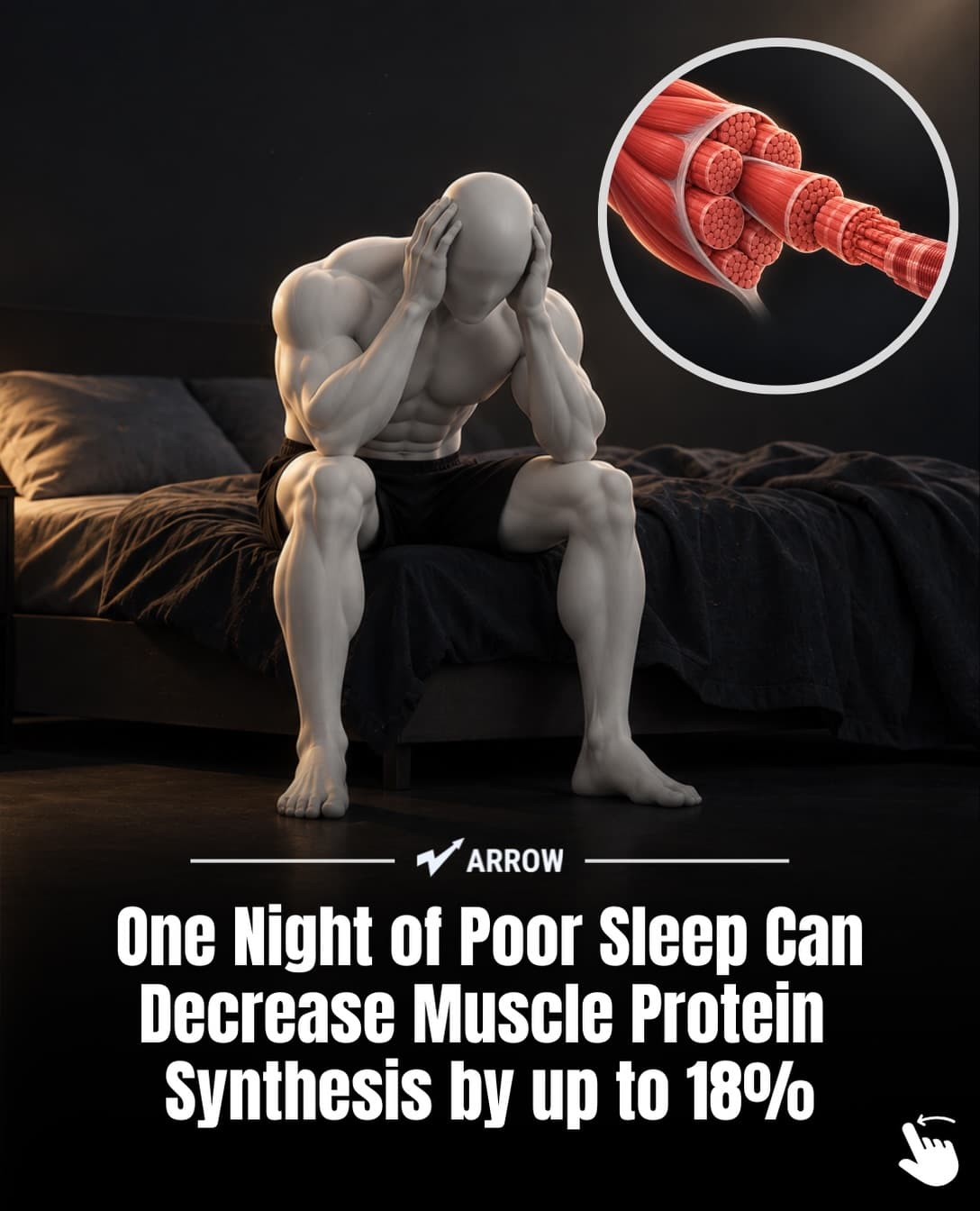
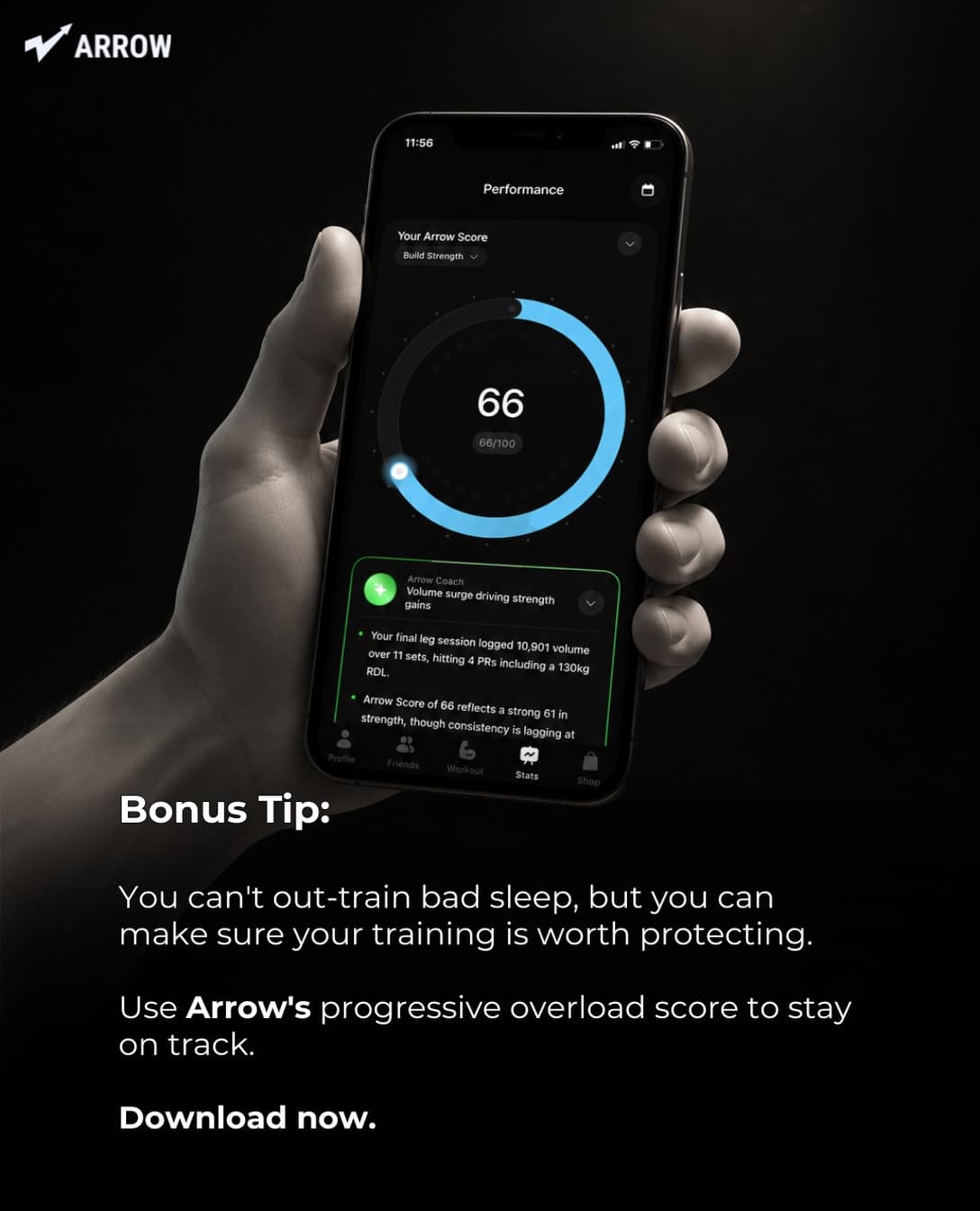
Notice what the deck does not do. It never says “download Arrow to sleep better”. Arrow is a training app, so the deck argues that sleep protects your training, and then offers the app as the way to make sure the training is worth protecting. The middle slides cite the study by name (Lamon et al., 2021, Physiological Reports). That one line of attribution is doing more for trust than any feature list could.
14 first-slide lines for fitness and health apps
These are written to be used as they are or bent to fit your app. Each one is tagged with the kind of app it suits. Where a line quotes a number, swap in a figure you can source, or turn the line into a question.
For strength and gym apps
- “You are not overtraining. You are under-sleeping.” (training log, progressive overload tracker)
- “The 3 exercises most beginners should drop from push day” (workout planner)
- “Your bench stalled because you never wrote down week 3” (lifting log)
- “What 12 weeks of tracking every set showed me about my lazy days” (any tracker with history)
For running and cardio apps
- “Most runners run their easy days too fast. Here is how to tell.” (running coach, heart-rate zones)
- “Couch to 5K fails in week 4 for the same reason every time” (beginner running plan)
- “10,000 steps was a marketing number. What the research actually landed on.” (step counter, walking app)
For nutrition and calorie apps
- “I ate ‘clean’ for a month and gained weight. The label lied about one thing.” (calorie counter)
- “How much protein is in the breakfast you think is high-protein” (macro tracker)
- “Same 500 calories, two very different afternoons” (food logging, photo-based nutrition)
For recovery, mobility and wellness apps
- “Soreness is not proof the workout worked” (recovery, mobility)
- “5 minutes of this before bed did more for my back than a new mattress” (stretching, mobility)
- “Your rest day is a training day. Here is what to do on it.” (recovery planner)
- “Why you feel worse in week 2 of a new routine (and why that is normal)” (habit-style fitness apps)
A pattern you can steal from the list: the best fitness hooks contradict something the viewer already believes (“soreness means it worked”, “10,000 steps”, “eating clean”). Contradiction gets comments, and comments push a post to more people. For hooks outside the fitness category, our TikTok hooks library for apps sorts them by app type.
Three full 6-slide outlines
Each outline below is written for a different kind of fitness app and uses a different argument shape. Slide 6 is always the app; that is the one rule we never break.
Outline 1: the myth correction (running app)
- Hook: “Most runners run their easy days too fast. Here is how to tell.”
- Test: “Can you say a full sentence without gasping? If not, it is not an easy run.”
- Why it matters: “Easy runs build the engine. Running them hard just makes you tired for the hard ones.”
- What it feels like: “Slower than your ego wants. Often 60 to 90 seconds per km slower than race pace.”
- The fix: “Set a heart-rate ceiling and let the watch tell you when to slow down.”
- App: screenshot of the zone screen, “Pace keeps you under your easy-day ceiling with a buzz on your wrist. Link in bio.”
Why it works: slide 2 is a test the viewer can do in their head right now. A self-check slide makes people stop and think about their own run, which keeps them swiping.
Outline 2: the hidden math (nutrition app)
- Hook: “How much protein is in the breakfast you think is high-protein”
- Breakfast A: photo of granola and yoghurt, “Looks healthy. Around 12 g of protein.”
- Breakfast B: photo of eggs and toast, “Three eggs and one slice: closer to 22 g.”
- The target: “If you lift, many guidelines suggest roughly 1.6 g per kg of body weight per day. Breakfast A leaves a big gap.”
- The real problem: “Nobody does this math at 7am. That is why the gap shows up at dinner.”
- App: “Snap your plate, see the protein. That is the whole app. Link in bio.”
Why it works: two photos side by side are a comparison the viewer makes instantly. The numbers are round and labelled as estimates, which keeps you honest when someone in the comments weighs their granola. If you quote a daily protein target, say where it comes from in the caption.
Outline 3: the honest timeline (beginner workout app)
- Hook: “Why you feel worse in week 2 of a new routine (and why that is normal)”
- Week 1: “Motivation is high. You are sore, but it feels like progress.”
- Week 2: “The soreness stays. The motivation does not. This is where most people stop.”
- Week 3 to 4: “Your body adapts. Sessions feel easier. Nobody posts about this part because it is boring.”
- Week 6: “You lift what felt impossible in week 1. You only notice if you wrote it down.”
- App: “Lift Log shows you week 1 next to today, so week 2 doesn’t win. Link in bio.”
Why it works: it predicts the viewer’s own experience before it happens. People who are in week 2 right now will send it to a gym buddy, and shares are how a small account reaches strangers.
Health claims: what you can and cannot put on a slide
Fitness and health apps sit close to medical territory, and TikTok’s community guidelines restrict harmful health misinformation and content that promotes disordered eating. You do not need a lawyer to stay safe, but you do need a few habits.
| Instead of this | Write this | Why |
|---|---|---|
| “Lose 10 kg in 30 days” | “What a realistic first month of tracking looks like” | Weight-loss promises with a timeline are the fastest way to get a post restricted, and they set users up to churn. |
| “Science says sleep builds muscle” | “A 2021 study found one bad night cut muscle protein synthesis by 18%” plus the study name | Specific and sourced beats vague and confident. The source is your defence in the comments. |
| “Burn belly fat with this routine” | “A 12-minute core routine for people who hate core day” | Spot-reduction claims are a known myth; fitness viewers will call it out. |
| “Our app cures back pain” | “The stretches I do when my back is stiff from sitting” | Treatment claims belong to clinicians. Describe what you do, not what it cures. |
Two more habits. Avoid before/after body photos unless they are your own and consented to, because they draw both reports and the wrong audience. And if your app counts calories, be careful with very low numbers on slides; a post that reads as encouraging extreme restriction can be pulled even if the app itself is sensible.
Matching the hook to your app screen
The last slide is where most fitness decks lose the install. The viewer has agreed with five slides about sleep or protein, then sees a generic home screen and does not connect the dots. Pick the one screen that answers the question the hook asked:
- Hook about tracking progress → show a chart with history, not the empty “start workout” button.
- Hook about food → show a logged meal with the numbers visible.
- Hook about recovery → show the rest-day screen or the readiness score.
- Hook about beginners → show the first-day screen, so the viewer sees exactly what they would see after installing.
If your App Store screenshots are designed marketing images rather than raw screens, use the raw screen on the slide. It looks less like an ad. Then send the bio link to a store page whose first screenshot matches the slide; our guide to adding your App Store link to TikTok covers Custom Product Pages for exactly this.
A posting rotation for a fitness app
Fitness audiences have a weekly rhythm, and you can post into it. A simple two-week plan that we would start with:
| Day | Angle | Example first slide |
|---|---|---|
| Monday | Plan for the week | “The 4-day split for people who only have 45 minutes” |
| Tuesday | Myth correction | “Soreness is not proof the workout worked” |
| Wednesday | Sourced fact | “What a 2021 sleep study did to lifters’ gains” |
| Thursday | Food math | “Same 500 calories, two very different afternoons” |
| Friday | Timeline / honesty | “Why week 2 feels worse than week 1” |
| Saturday | Recovery | “Your rest day is a training day” |
| Sunday | Review | “What 12 weeks of tracking every set showed me” |
Run that for two weeks, then cut the two angles with the lowest 48-hour views and double the best one. Thirty posts in, you will know which kind of fact your audience cares about. Our guide to promoting an app on TikTok explains why 30 is the number, and how many slideshows to post per day covers volume.
If writing seven sourced decks a week is the part you will not keep up, that is the job SlideBase does: it reads your listing, drafts a deck like the Arrow example above, and you edit the claims before anything goes out. You can see what each plan includes on the plans page, or read how the slideshow generator works. When you are ready, create an account and paste your store link.
Building in a different category? We wrote separate idea lists for finance apps, language-learning apps and AI apps.
FAQ
What should the first slide of a fitness TikTok slideshow say?
One specific, slightly surprising claim about the body or training, ideally one that contradicts a common belief. “Soreness is not proof the workout worked” beats “5 gym tips”. Keep it under 12 words and make sure you can back it up on slide 2 or 3.
Can I cite studies on TikTok slides?
Yes, and you should. Put the author and year in small text on the slide where the number appears, and link the paper in a comment if people ask. Sourced slides survive comment-section arguments and read as more trustworthy than a coach’s opinion.
Should a fitness app post before/after photos?
Only with real, consented photos, and even then sparingly. They attract reports, invite comparison and can pull in an audience looking for fast weight loss rather than your app. Progress charts and logged numbers do the same job with less risk.
How many slides should a fitness slideshow have?
Six to eight works for most fitness topics. One hook, three or four slides of argument or evidence, one slide of advice, and one app slide. Workout splits can run longer because people save them, but each slide still needs one idea only.
Do fitness slideshows work on Instagram too?
Yes. The same deck works as an Instagram carousel, where saves matter even more. Crop for 4:5 if you post to the feed, and keep the text away from the edges. Our Instagram carousel generator page covers the format differences.